Merlin has officially launched its brand-new Ride Access Pass (RAP) app, designed to make your theme-park experience smoother, faster, and more accessible than ever before. Whether you’re heading to Alton Towers, Thorpe Park, Chessington World of Adventures, or any other Merlin attraction, this app is your new best friend for navigating the day with ease.
Below, you’ll find the complete guide to downloading, using, and getting the most out of the Merlin Ride Access Pass app — plus some insider tips you won’t want to miss!
📱 Step 1: Download the Merlin Ride Access Pass App
The first thing you’ll need is the app itself — and good news: it’s available on both iOS and Android.
➡️ Head to the App Store or Google Play
➡️ Search for “Merlin Ride Access Pass”
➡️ Download and install
Once you’ve got it installed, you’re ready to make your day out more streamlined than ever.
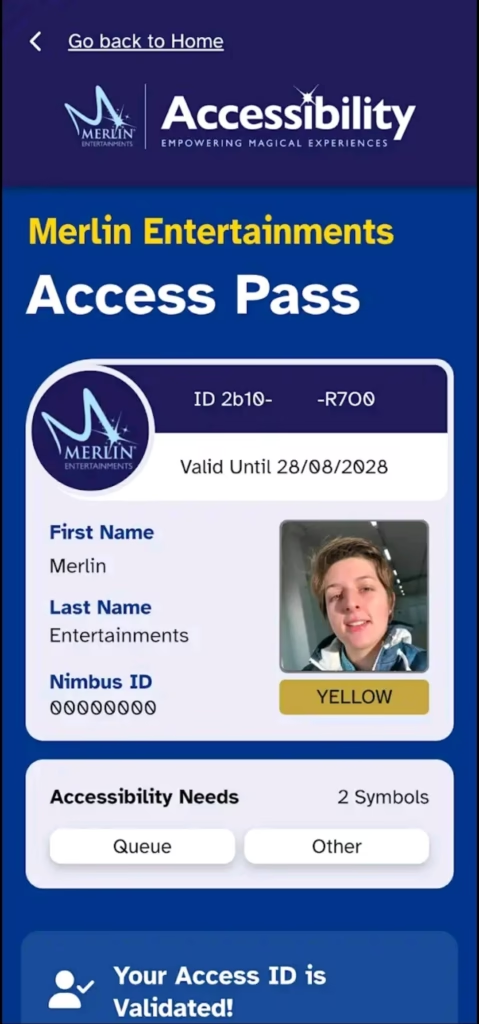
🔐 Step 2: Sign In With Your Nimbus Access Card
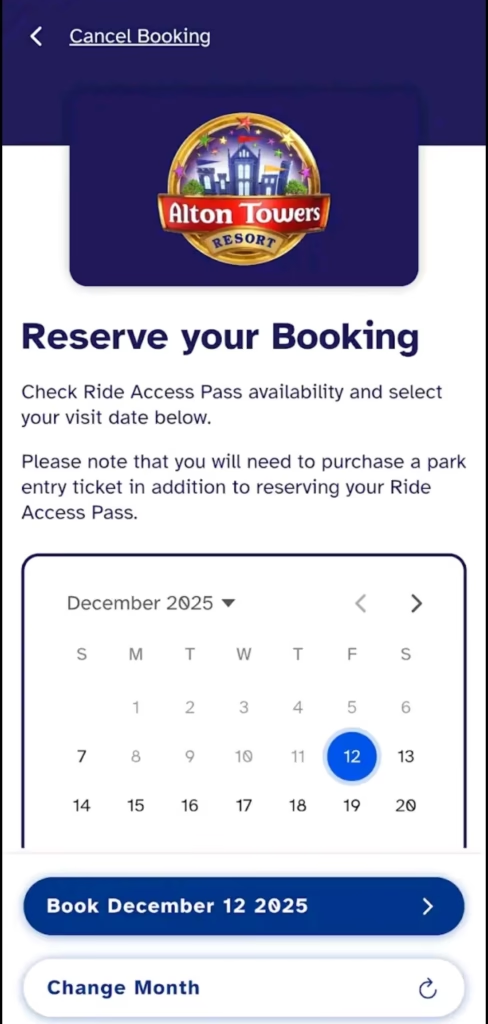
To pre-book your Ride Access Pass reservations, simply:
- Open the app
- Sign in using your Nimbus Access Card number
- Follow the on-screen prompts to link your account
This ensures your RAP eligibility is already verified, giving you a seamless experience from the moment you enter the park.
💡 Top Tip: Enable These Settings Before You Visit
To get the best performance from the Merlin RAP app, make sure you:
- Allow Location Services ✔️
- Allow Camera Access ✔️
- Enable Notifications ✔️
- Have Wi-Fi switched on while in the park ✔️
These settings help the app detect ride locations, scan QR codes smoothly, and keep you updated in real time with your virtual queue status.
🎠 How to Use Your Ride Access Pass (RAP) in the Park
Using the app during your visit couldn’t be simpler. Here’s how it works from start to finish:
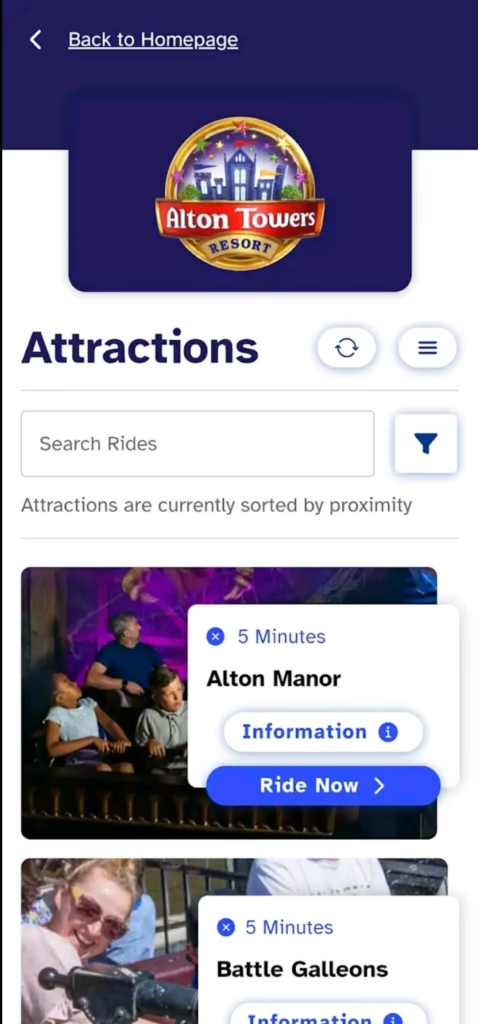
1️⃣ Pick a Ride
When you’re near a ride, open the app and tap “Ride Now”.
This automatically adds you to the virtual queue, saving you time and reducing the need to wait in lengthy physical lines.
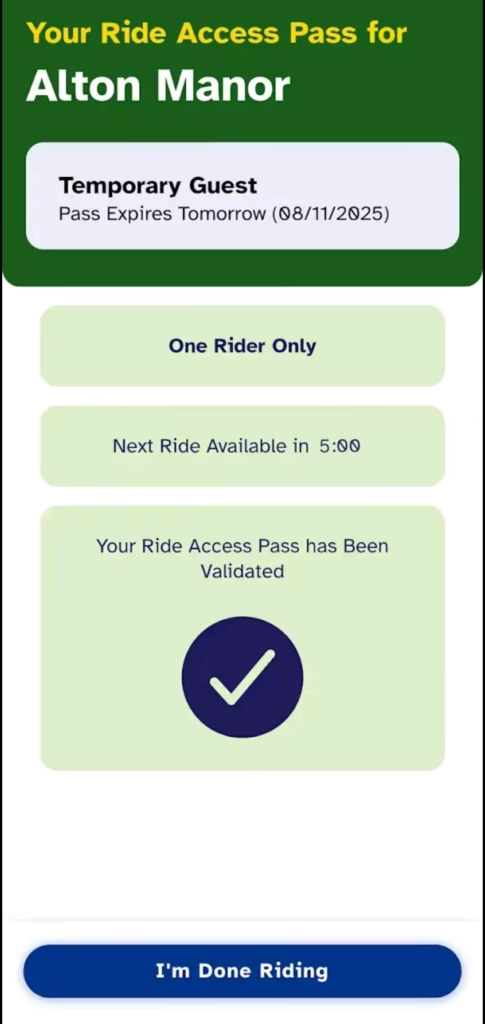
2️⃣ Scan In at the RAP Entrance
After your virtual queue time has elapsed, make your way to the Ride Access Pass entrance.
At the entrance, scan the QR code on your phone.
A team member will confirm your booking, and you’re good to go!
3️⃣ Stay With Your Group
The Merlin Ride Access Pass system is designed with accessibility and inclusivity in mind.
Ride with your party, stay together, and enjoy the attraction as a shared experience.
4️⃣ Be Ready to Show Your ID
Sometimes, especially at busier times, a team member may ask to see your ID linked to your RAP.
Just have it ready when prompted — it helps keep the process smooth for everyone.
🎢 Why the Merlin RAP App Is a Game-Changer
This brand-new Ride Access Pass system is more than just a booking tool — it’s designed to:
✨ Reduce stress
✨ Support guests with accessibility needs
✨ Cut down on long queues
✨ Make your day more flexible
✨ Improve overall park experience
Whether you’re planning your first trip or you’re a regular Merlin visitor, the app puts freedom, convenience, and control back in your hands.
🏰 Final Thoughts
The new Merlin Ride Access Pass app is a huge step forward in accessibility at UK theme parks. It’s intuitive, efficient, and genuinely makes a difference to the guest experience. So before your next adventure, make sure you’ve got the app downloaded, your Nimbus Access Card linked, and your settings switched on.
Have fun — and enjoy every magical moment Merlin has to offer! 🎢✨